Skip to content
Plugin PantryPlugins

Plugins / Pantry Handover

Plugin Pantry

Pantry Handover

v1.0.0

Contents: Site notes, links and support details, in the dashboard.

21 KB, no external requests

Leave the client a guide where they will see it. A dashboard panel and a Site Guide page with your notes, the links they need and how to reach you. Tidy away the default dashboard boxes. Export the guide and import it on the next site.

Compared with the popular plugins
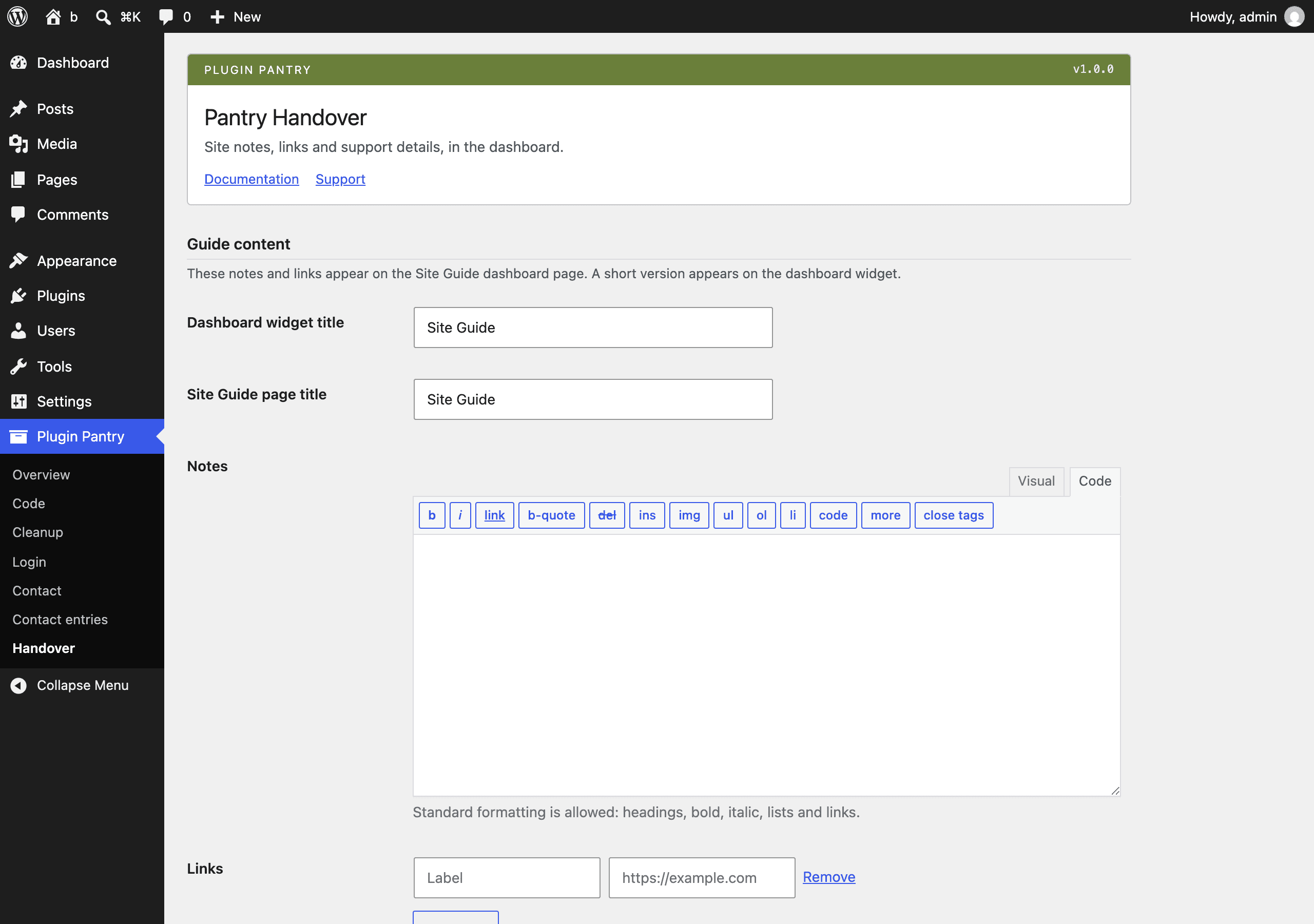
The Pantry Handover settings screen in the WordPress admin, at Settings > Pantry Handover and Dashboard > Site Guide.

What it does

  • Dashboard widget and a Site Guide admin page, both with a title you choose
  • Notes written in the WordPress editor with standard formatting allowed
  • A list of links with labels
  • Support block: company name, email, phone, hours, website
  • Choose which roles see the guide; only administrators can edit it
  • Switches to hide the default dashboard boxes: welcome panel, quick draft, activity, events and news, site health
  • Export the guide as JSON and import it on another site

What it does not do

  • No white-labelling of WordPress
  • No hiding of plugins or menus
  • No ticketing or chat

Measured footprint

Zip size
21 KB
Lines of PHP
1,373
Options
pantry_handover_settings
Post meta
none
Custom tables
none
Post types
none
Cron events
none
Transients
none
Admin assets
assets/admin.css on the Settings > Pantry Handover screen only, assets/admin.js on the Settings > Pantry Handover screen only (links repeater)
Front-end assets
none
External requests
none
Measured on
2026-09-12

Compatibility

WordPress
6.4 or newer, tested to 7.1
PHP
8.1 or newer
Where it lives
Settings > Pantry Handover and Dashboard > Site Guide
Licence
GPLv2 or later

Documentation

Site notes, links and support details, in the dashboard.

Leave the client a guide where they will see it: a dashboard widget and a Dashboard > Site Guide page with your notes, the links they need and how to reach you. Tidy away the default dashboard boxes. Export the guide and import it on the next site.

Usage

  1. Activate the plugin.
  2. Go to Settings > Pantry Handover and fill in:
    • Guide content: a title for the dashboard widget, a title for the Site Guide page, your notes (a full editor, standard formatting allowed), and a list of links (label and URL, add or remove rows as needed).
    • Support details: company name, email, phone, hours and website. Any of these left blank is left off the guide.
    • Who can see the guide: administrators always see it; tick any other roles that should too. Only administrators can edit the guide.
    • Dashboard clean-up: switches to hide the default WordPress dashboard boxes (welcome panel, Quick Draft, Activity, WordPress Events and News, Site Health). All off by default.
  3. Save changes.
  4. The guide appears as a dashboard widget (a short version, with a link to the full page) and at Dashboard > Site Guide (the full page), for administrators and for whichever roles you chose.
Export and import

At the bottom of Settings > Pantry Handover:

  • Export guide (JSON) downloads the whole settings option as a JSON file.
  • Import guide uploads a JSON file (from this plugin, on this or another site) and replaces the current settings with it, run through the same sanitiser the settings form uses.

This is meant for reusing a guide across sites: set it up once, export it, and import it on the next site instead of retyping everything.

Settings reference

Setting Type Notes
Dashboard widget title Text Shown as the widget's title bar.
Site Guide page title Text Shown as the page heading and the Dashboard submenu label.
Notes Rich text Stored with wp_kses_post; standard post-editor formatting is allowed.
Links Repeater of label + URL Rows without a URL are dropped on save.
Company name, Support email, Phone, Hours, Website Text / email / URL Shown on the guide only when not blank.
Roles Multiple choice Roles (other than Administrator) that may view the guide.
Hide welcome panel / Quick Draft / Activity / Events and News / Site Health Checkboxes Each removes one default dashboard box, only when switched on.

All settings are stored in one option, pantry_handover_settings.

Filters and actions

Pantry Handover does not add any filters or actions of its own. It only uses WordPress core hooks (wp_dashboard_setup, admin_menu, admin_post_pantry_handover_export, admin_post_pantry_handover_import) to register its own widget, page and export/import endpoints.

Pro add-on (planned)

See Pantry Pro pricing
  • White-label admin: rename, custom login, admin colours
  • Different guides per role
  • Sync guides across sites

None of this is in the free plugin, and none of it is switched off inside it. Pro would be a separate plugin.

Changelog

All notable changes to this project are documented in this file.

1.0.0 - 2026-09-12

  • First release.
  • Dashboard widget and Dashboard > Site Guide page with notes, a list of links and support details.
  • Choose which roles see the guide; only administrators can edit it.
  • Switches to hide the default dashboard boxes: welcome panel, Quick Draft, Activity, WordPress Events and News, Site Health.
  • Export the guide as JSON from Settings > Pantry Handover and import it on another site.