Plugins / Pantry Duplicate
Plugin Pantry
Pantry Duplicate
v1.0.0Contents: Copy any post, page or custom post type to a new draft.
19 KB, no external requests
A Duplicate link on every post list and a Copy to new draft button in the editor. The copy keeps the content, excerpt, taxonomies, featured image and custom fields, and lands as a draft with a prefix you choose. Fully free, no Pro version.
Compared with the popular plugins
What it does
- Duplicate row action on the list screen of every public post type, plus a bulk action
- Copy to new draft link in the classic editor publish box and in the block editor via a small sidebar plugin-free approach (an admin bar link on singular edit screens)
- Copies title, content, excerpt, taxonomies, featured image, menu order, page template, parent and custom fields
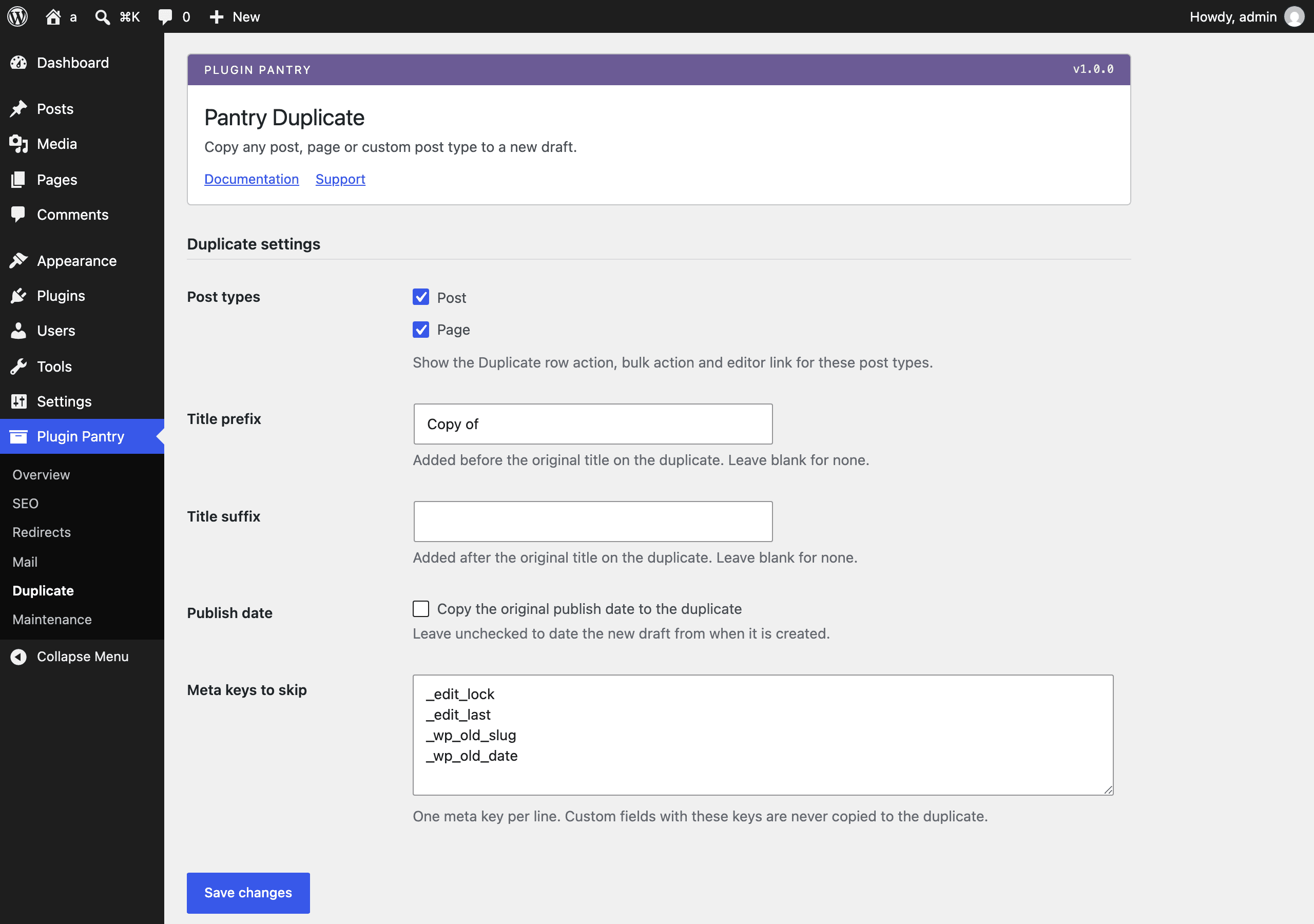
- Title prefix and suffix settings, default prefix Copy of
- Meta key exclusion list, with sensible defaults that skip editor locks and old slugs
- Choose which post types get the link and whether to copy the publish date
- Capability and nonce checks on every duplication; users can only copy what they can edit
What it does not do
- No scheduled or recurring duplication
- No cross-site copying
- No templates or merge fields
- No log table
Measured footprint
- Zip size
- 19 KB
- Lines of PHP
- 1,331
- Options
- pantry_duplicate_settings
- Post meta
- none
- Custom tables
- none
- Post types
- none
- Cron events
- none
- Transients
- none
- Admin assets
- includes/core/assets/pantry-admin.css on the settings screen only, includes/core/assets/pantry-admin.js on the settings screen only (shared Pantry core assets; this plugin ships no assets of its own)
- Front-end assets
- none
- External requests
- none
- Measured on
- 2026-09-12
Compatibility
- WordPress
- 6.4 or newer, tested to 7.1
- PHP
- 8.1 or newer
- Where it lives
- Plugin Pantry > Duplicate
- Licence
- GPLv2 or later
Documentation
Read the documentationEvery setting on the Pantry Duplicate screen and what each one does, with the hooks it publishes: the same text that ships in the plugin README.
Pro add-on (planned)
See Pantry Pro pricingThere is no Pro version of this plugin and none is planned. It is complete.
Changelog
All notable changes to this project are documented in this file, in the Keep a Changelog format.
1.0.0 - 2026-09-12
Added
- Duplicate row action on the list screen of every enabled public post type, plus a matching bulk action.
- Copy to new draft link in the classic editor publish box, and an admin-bar link on singular edit screens that works for both the classic and block editors.
- Duplicates copy title, content, excerpt, taxonomies, featured image, menu order, page template, parent and custom fields.
- Settings screen: title prefix and suffix, whether to copy the publish date, which post types get the link, and a list of meta keys to skip.
- Capability and nonce checks on every duplication; a user can only copy posts they can edit.